Public Feed

akatsync · Jan 04
Day 1 of Starting to learn Java Script

Today I am planning to start learning java script from zero. till now i know java script is a language ,used to make a web page dynamic or active like programming languages used to make a web page functional, I used it before and worked in it a little but I dont know it in depth and much concepts I have experience in Java, Python etc and worked in them so I know core concepts of a programming language which were enough to understand a JavaScript code and make what I need by using chatgpt or google search etc but now i wanna learn it in depth so that i know how it actually works and how it is different then other languages and know and be able to use its full power.

I might have few or lot of grammar mistakes etc in my writing please ignore them because I  am kinda lazy to focus on them and just write. so lets move forward. 

So its Jan 4 17:37 in evening Indian time. and I feel kind of tired because i just came home after watching a movie of  4 hrs i guess. well without wasting time lets focus on the task of learning javaScript.

So first I thought I will watch some javaScript lecture on youtube and make notes but For some reason my earphones are not connecting to my laptop ...

Well so i guess  i will read some material or blogs online lets start with a google search.

well so i started with a plan old google search 
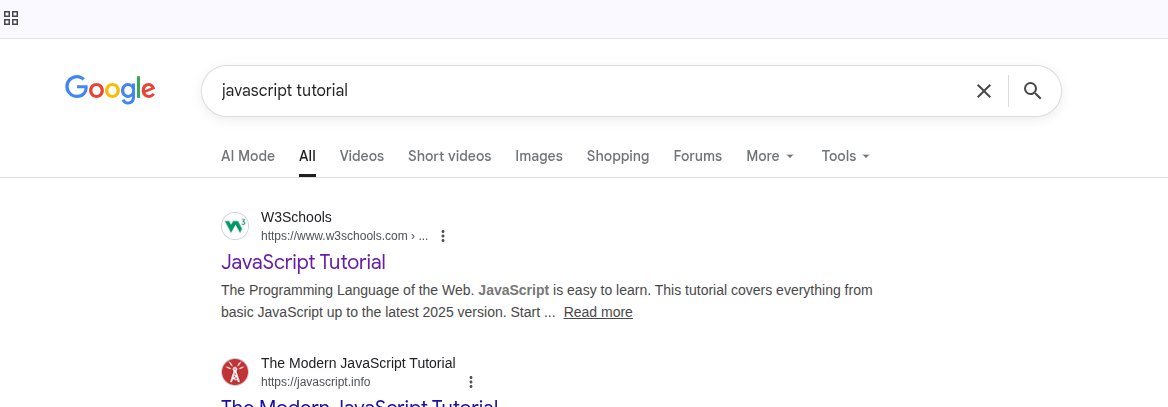
and here you see that W3schools website i guess pretty much everyone know about it it is a pretty famous website I faced it many times for even i dont know what reasons exactly but like for quick reference of some css rules etc mostly. i guess its a decent choice to start with so i will read  something from this website so lets start reading this. https://www.w3schools.com/js/ 
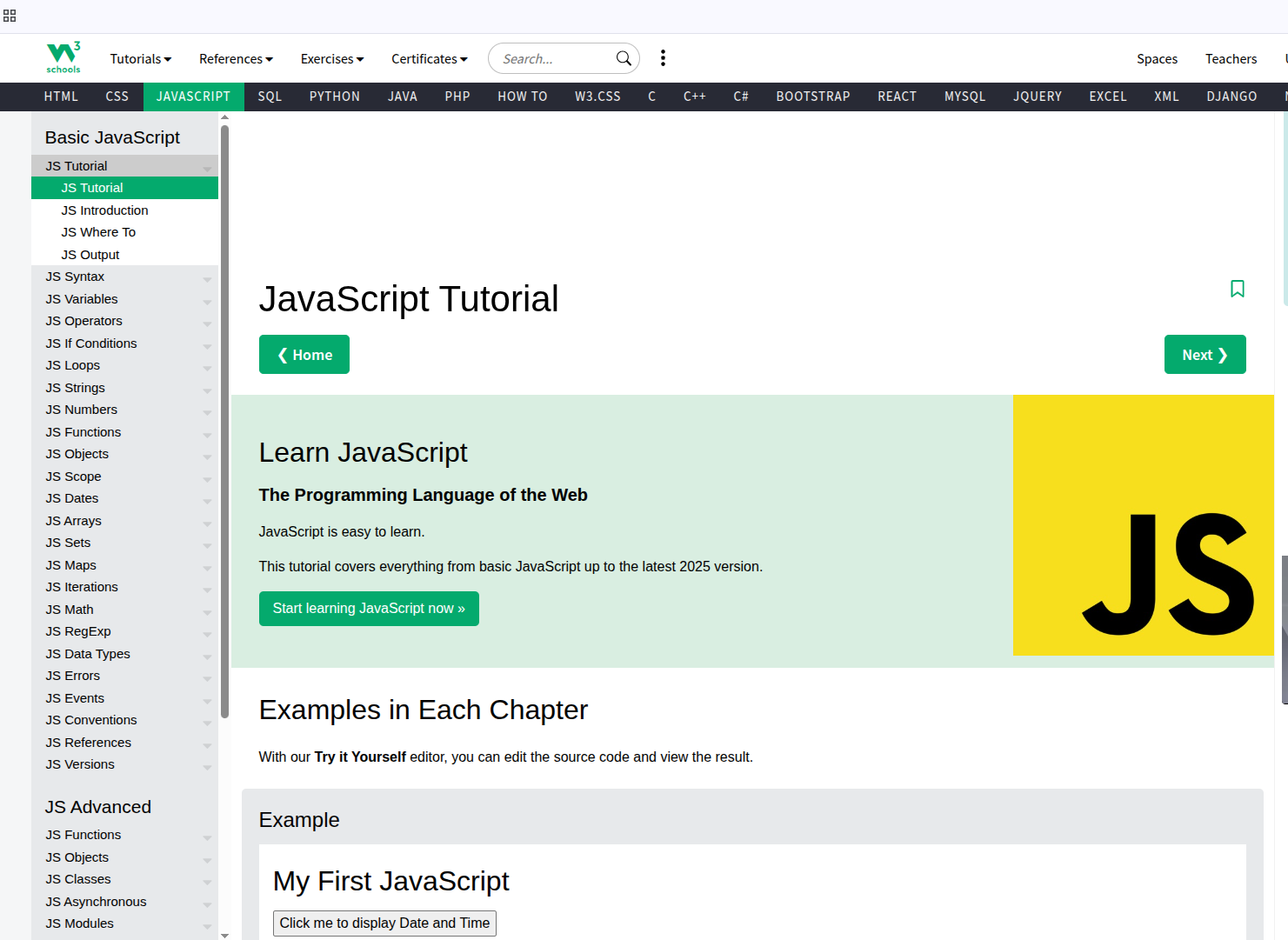
well i will start learning this page now and will write updates here. 

Ohh this page have first example of java script which prints date by clicking button see in image its code and example
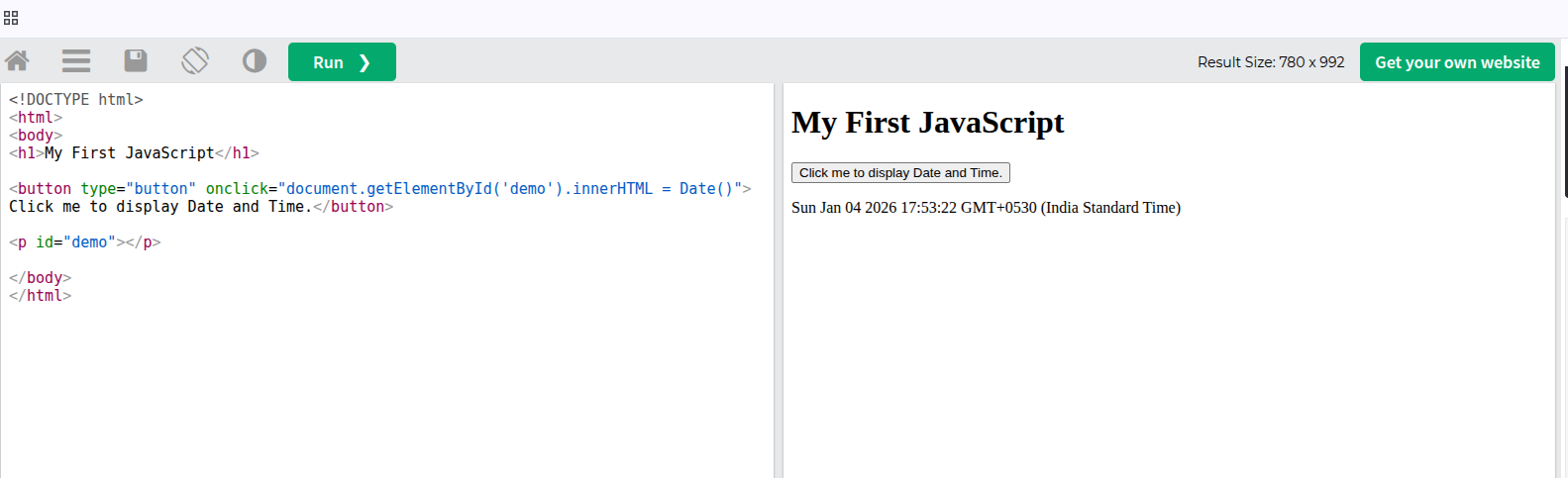
well i know java script a little so it was easy for me to understand like in this example code on left the html body have a h1 heading as in left and a button where it have onclick= to a JavaScript code or action which is looking for the element in the html body with id "demo" and replacing its inner content innerHTML with Date() function some default JavaScript function for printing dates i guess and if u see below the html code just after the button there is a <p> tag with id demo and it dont have any content inside like text or something.
so basically on clicking on the button it runs a JavaScript code which will look for element with id demo which is p tag here and it will replace its innerHTML with Date() function output which is current date as u see on right result of clicking button

so its a simple code but it is showing how javaScript is used to add functionality to your page like showing current date here and one more thing to notice here is for the html content to change with JavaScript we dont need to reload page it happens in place i guess it is how the current react etc make static pages somehow where we dont need to reload page to change content etc.


My reason for learning javaScript is also like i don want to reload page for some page action like clicking on button or performing some acition etc I am learning it to understand it better to implemen required features in my website or projects by javaScript if can as much as I can.
Its around 650 words now i did not noticed i am kind of enjoying writing  but i guess  I should not make one page too long so i will shift on another page and i guess i should name the title as day 1 of learning javaScript part1 or something well see u in the next page. 
well i did not fee like much study so i not started part 2 so part 1 is only for day 1
tell me in comments if u wanna say something to me. 


1 0 1
akatsync · Dec 28
JWT Authentication: What Actually Happens When You Log In

You open a website.
You enter your email and password.
You click Login.

And magically—you’re in.

No page refresh. No password sent again. You can reload the page, open a new tab, even close the browser and come back… still logged in.

Most people say:

“Yeah, that’s JWT.”

But what actually happens?

Let’s break it down in plain human language, step by step—no buzzwords, no fake complexity.


Step 1: You Send Your Credentials (Only Once)

When you click Login, your browser sends this to the server:


{
  "email": "[email protected]",
  "password": "secret123" 
} 

Important detail 👉 this is the only time your password is sent.

The server:

  • Finds your user
  • Verifies the password (usually via hashing)
  • Decides: Yes, this user is legit

If the password is wrong → login fails
If correct → move to the next step


Step 2: The Server Creates a JWT

Instead of saving a session in memory (old-school way), the server creates a JWT (JSON Web Token).

Think of a JWT like a digitally signed ID card.

Inside the token:

  • User ID
  • Email / username
  • Token expiry time
  • Sometimes roles or permissions

Example (simplified):


{
  "user_id": 42,
  "email": "[email protected]",
  "exp": 1735689600 } 

This data is:

  • Encoded
  • Signed (so it can’t be tampered with)

🔐 The server signs it using a secret key only it knows.


Step 3: Token Is Sent Back to Your Browser

The server responds:


{
  "access_token": "eyJhbGciOiJIUzI1NiIsInR5cCI6IkpXVCJ9..." 
} 

Now your browser stores this token:

  • Usually in localStorage
  • Or cookies (more secure if done right)

From this moment on:
👉 Your token is your identity


Step 4: Every Request Includes the Token

Now when you request anything protected:

  • /profile
  • /notes
  • /dashboard

Your browser automatically sends:

Authorization: Bearer <JWT_TOKEN> 

No password.
No login again.
Just the token.


Step 5: Server Verifies the Token (Every Time)

For each request, the server:

  1. Checks the token signature
  2. Verifies it hasn’t expired
  3. Extracts user info
  4. Allows or denies access

⚠️ No database lookup is required for sessions
That’s why JWT is called stateless authentication.


Why JWT Feels So Fast

Because:

  • No session storage
  • No server memory tracking
  • No sticky sessions needed
  • Easy to scale across multiple servers

This is why JWT is popular in:

  • APIs
  • Microservices
  • Mobile apps
  • SPAs (React, Vue, etc.)

The Part People Don’t Tell You

JWT is not magic. It has trade-offs.

❌ You Can’t “Log Out” Easily

Once issued, a JWT is valid until it expires.

Logout usually means:

  • Deleting token on client
  • Or maintaining a token blacklist (extra complexity)

❌ Token Theft Is Dangerous

If someone steals your token:
👉 They are you

That’s why:

  • HTTPS is mandatory
  • Tokens should expire quickly
  • Refresh tokens must be protected

Access Token vs Refresh Token (Quickly Explained)

Good systems use two tokens:

Access Token

  • Short-lived (5–15 minutes)
  • Used on every request

Refresh Token

  • Long-lived
  • Used only to get a new access token

This way:

  • Even if access token leaks, damage is limited
  • Users stay logged in smoothly

When JWT Is a Bad Idea

JWT is NOT ideal if:

  • You need instant logout everywhere
  • You want simple auth for a small app
  • You don’t understand token security well

In those cases:
👉 Traditional session-based auth is safer and simpler.


The Big Picture

JWT is not about being “modern”.
It’s about who carries the authentication state.

  • Sessions → server remembers you
  • JWT → you carry proof of who you are

Neither is wrong.
Both are tools.


Final Thought

If you understand this flow, you already know more JWT than most developers who use it daily.

1 0 2